Accessibility statement
AcceGuru includes an accessibility statement generator in Free. Some organizations publish a statement to describe their accessibility goals, known limitations, and contact options. Requirements vary by jurisdiction.
Generate a statement
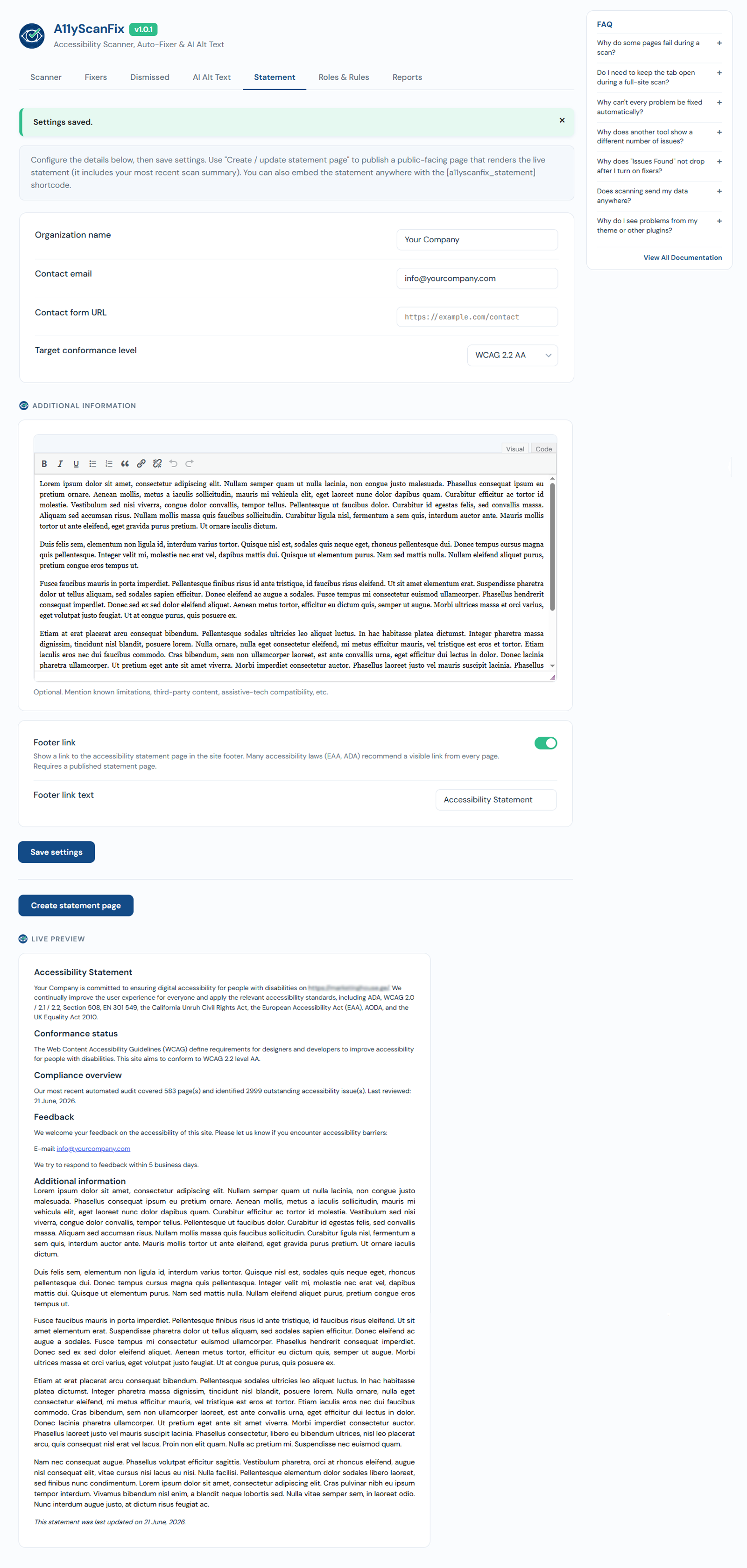
- Go to AcceGuru -> Settings -> Statement tab.
- Fill in your organisation details and the standard you target, then save settings.
- Click Create statement page (it becomes Update statement page afterwards) to publish a public page. The page renders the live statement and includes your most recent scan summary.
Publish it
- Shortcode: embed the statement anywhere with
[acceguru_statement]. - Footer link: turn on "Show a link to the accessibility statement page in the site footer" to make the statement easy to find from every page. You can set your own Footer link text. This requires a published statement page.