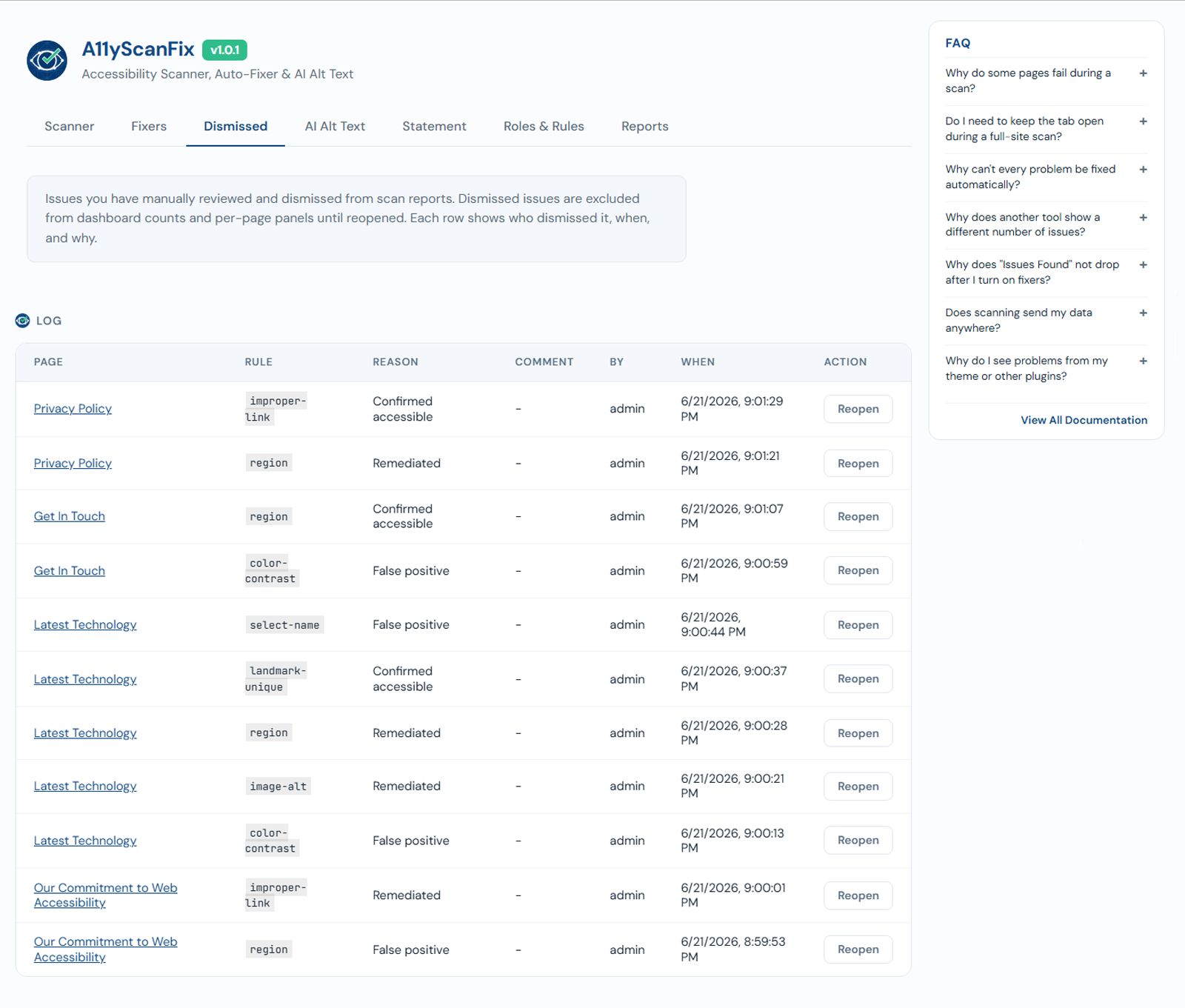
Dismiss issues PRO
PRO feature
Dismissing individual issues and the dismissed-issues audit log are part of the AcceGuru Pro add-on.
Sometimes an issue is a false positive for your situation, or a deliberate choice. Dismissing it removes it from your counts without pretending it was fixed.
How it works
- Dismiss a specific issue (by rule and element) on a page.
- Dismissed issues drop out of the dashboard cards, Top Offending Pages, and Most Common Issues.
- Every dismissal is recorded in an audit log (who, what, when), so the decision is traceable.
This is different from Ignore this rule, which hides a whole rule site-wide (that one is in Free). Dismiss is per-issue.