Public CPTs, archives and taxonomies
Free scans Posts, Pages, and selected public custom post types. Pro adds archive and taxonomy scanning.
Custom post types
Under AcceGuru -> Settings -> Scanner, the Post types to include in full-site scan setting lists eligible public content types as checkboxes. Free lets you select these types, including WooCommerce Products when WooCommerce is active. Selected entries are scanned and counted together.
Archives and taxonomies PRO
PRO feature
Archive and taxonomy scanning is part of the separate Pro add-on.
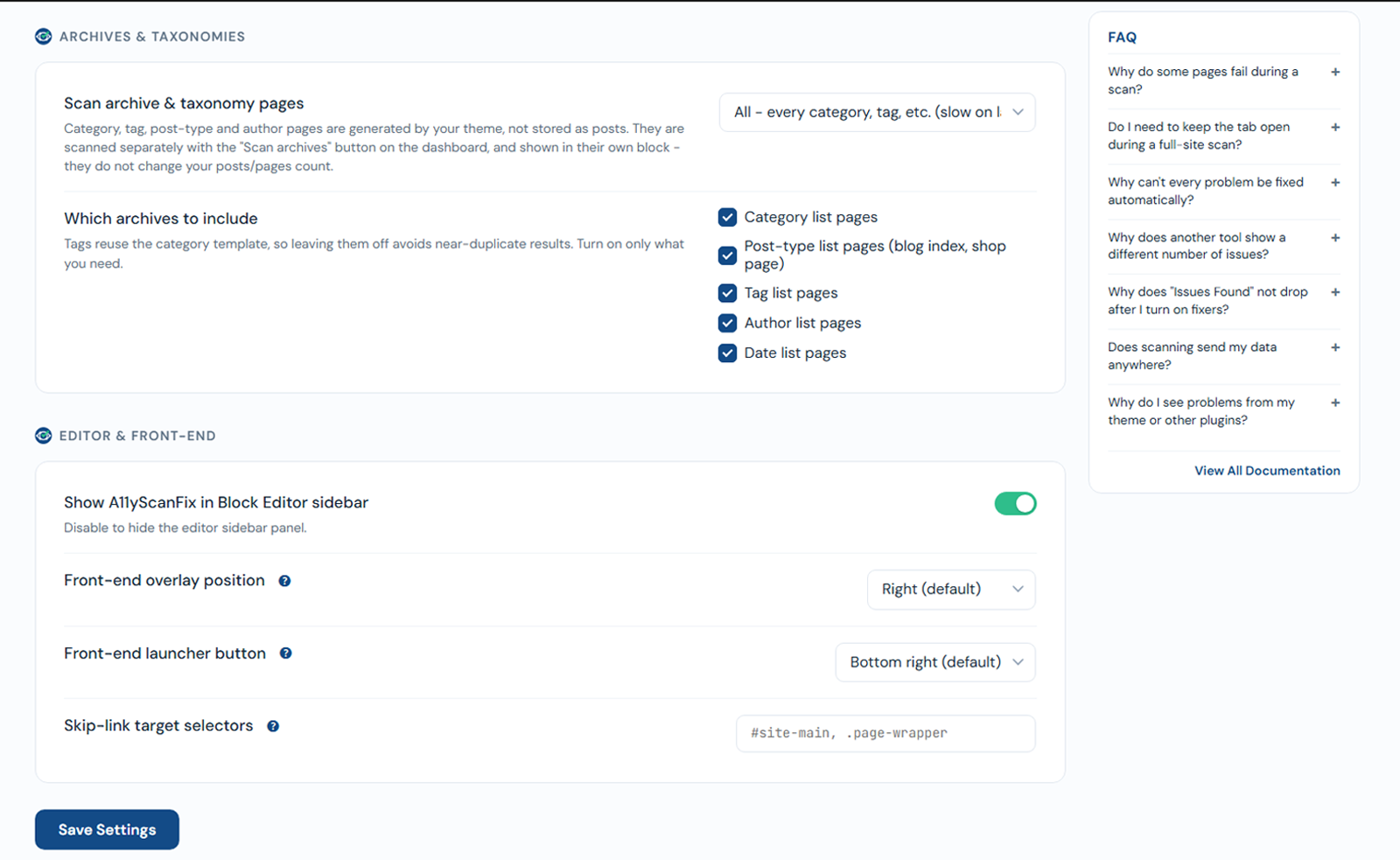
Archive and taxonomy pages (category, tag, post-type, author, date archives, and WooCommerce product categories / tags) are generated by your theme, not stored as posts. They are scanned separately, shown in their own Archives & taxonomies block on the dashboard, and do not change your posts/pages count.
Under Settings -> Scanner, the Scan archive & taxonomy pages dropdown sets the mode:
- Off
- Sample - one page of each kind (recommended) - one representative page per enabled kind.
- All - every category, tag, etc. (slow on large sites).
You also tick which kinds to include (default in brackets):
- Category list pages (on)
- Post-type list pages - blog index, shop page (on)
- Tag list pages (off)
- Author list pages (off)
- Date list pages (off)
- Product categories and Product tags - shown only when WooCommerce is active (off)
Run them with the Scan archives button in that dashboard block.